The process can be a little confusing at the moment – we’re planning to make it more intuitive in future builds.
To assign the alias, please:
-
Click the arrow marker next to the “Default” group to expand it:

-
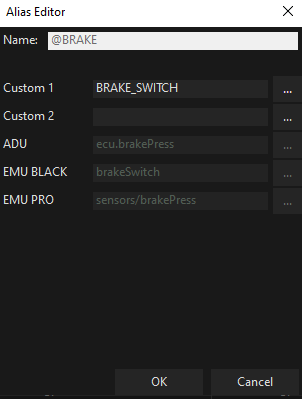
Then, double-click the @BRAKE alias and select the correct channel:
Regarding the Graph Log:
You’ve added the alias to the log, but it’s greyed out and doesn’t display any values. This happens because the alias doesn’t have a channel assigned. Once you assign the channel as shown above, it will become active in the log and also appear correctly in the overlay.