I’ve got an ADU7AS and Ecumaster GPSv1.
I find the built-in RTC drifts and becomes inaccurate. So I often have to fix it by syncing to a computer, but that is frustrating and inconvenient.
It would be really great if we could select GPS Time as one of the options to show in a Time Control, that would solve the issue.
Also, this is in a rally car, many rallies use GPS time as their official time nowadays. So that is really the time I want to use anyway. Or at least it will be close enough for my purposes.
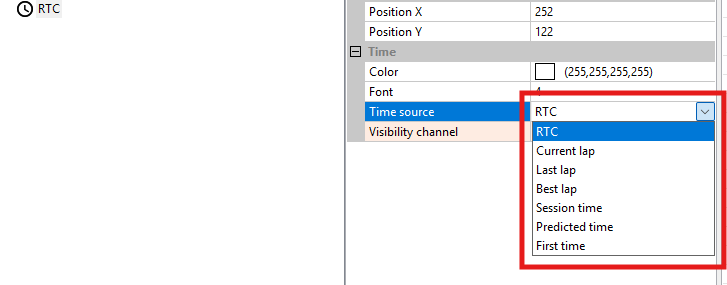
This is on our TODO list. There is no timeline yet, but it could take a few months.
I was going to ask the same question. Not a rally car, but we travel across the US for events and having to sync time zone for each event is often forgotten. Pulling GPS time for system time would be the best option.
GPS won’t sync your time zones.
GPS provides only UTC.
There is no local time from the GPS.
Would we be able to use a math channel on the gps time to add our own timezone?
It will be configurable in some way, perhaps both from the Client and directly on the device using a button or a channel. We have not decided yet.
Any update on this feature?
I’m looking through the release notes and latest software. Looks like it hasn’t been added yet.
I understand about the UTC timezone issue, and I’m fine with that whatever the solution is. I don’t really care about exact hours anyway, I mostly only care about minutes and seconds.
Most rally events run on GPS time these days. So if the car is sync’d to gps, that will give me accurate mm:ss, which is all I need for an accurate countdown for control zones and stage start lines.
Accurate hours would just be a bonus. But just being able to select an offset in the client would be a great solution. I have no need or desire to ever change the offset during operation.
This is not added yet and will not be included in the nearest ADU release for sure.
However, you can maintain a second, independent RTC controlled by buttons by doing some logic in the project tree.
Below you can find an example project, easy to merge, and a short screen video which shows how it works. It is using the autosaved channels feature, so the time offset is saved at ignition off (if the battery and ignition switch are separated) and every 2 minutes, so it survives power off.